AI meeting notes.
No cloud.
Record a meeting and Zapyso writes the transcript, the summary, the decisions and the next steps. Right on your iPhone or Mac: no account, not even an internet connection.
- Free
- No ads
- iPhone and Mac
How it works
You talk. Zapyso takes the notes.
Zapyso is a free iPhone and Mac app that transcribes meetings in English and Ukrainian and writes their summary. It all runs on the device itself: no cloud, no account, no internet.
-
Record
One tap and the meeting is recording. On iPhone, even with the screen locked.
-
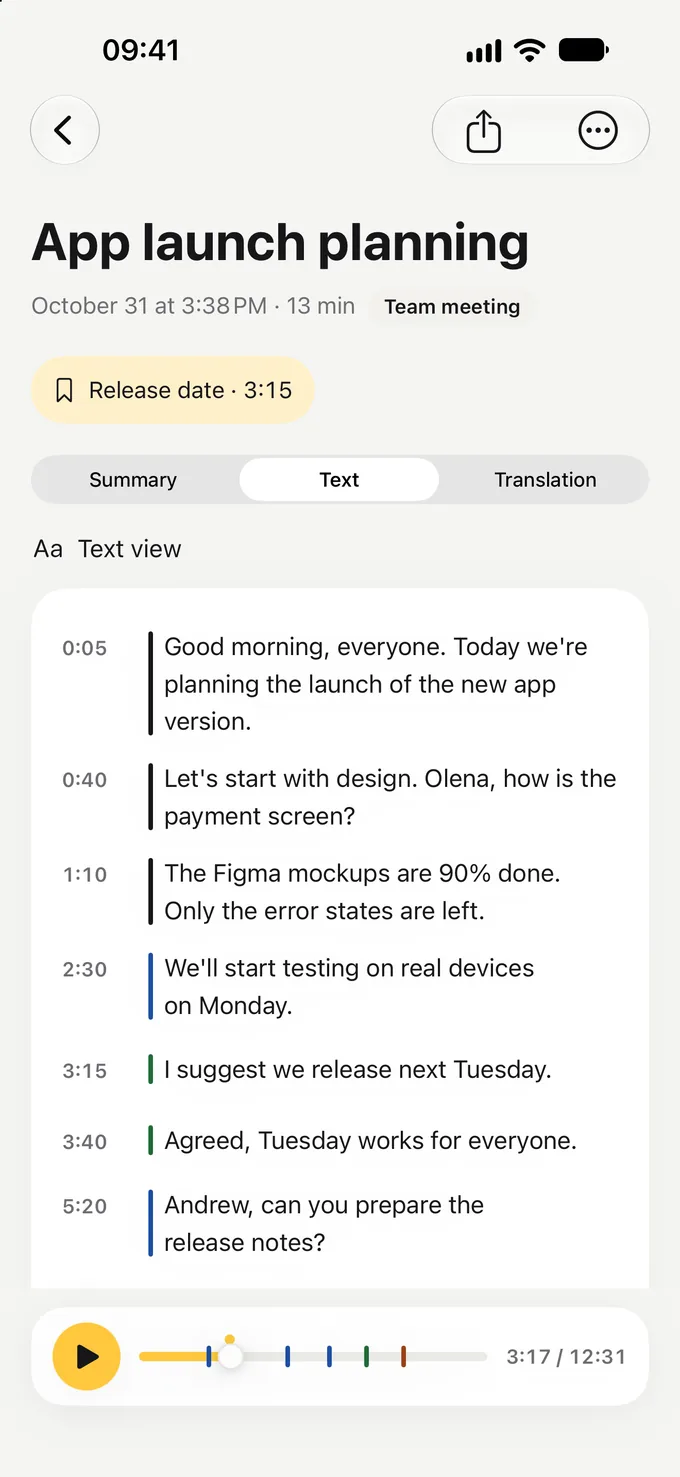
The transcript, as you talk
Zapyso transcribes during the meeting, so when it ends only the last few minutes are left to process.
-
What matters, sorted
Highlights, decisions, next steps with due dates and open questions. All of it on your device.
Summary
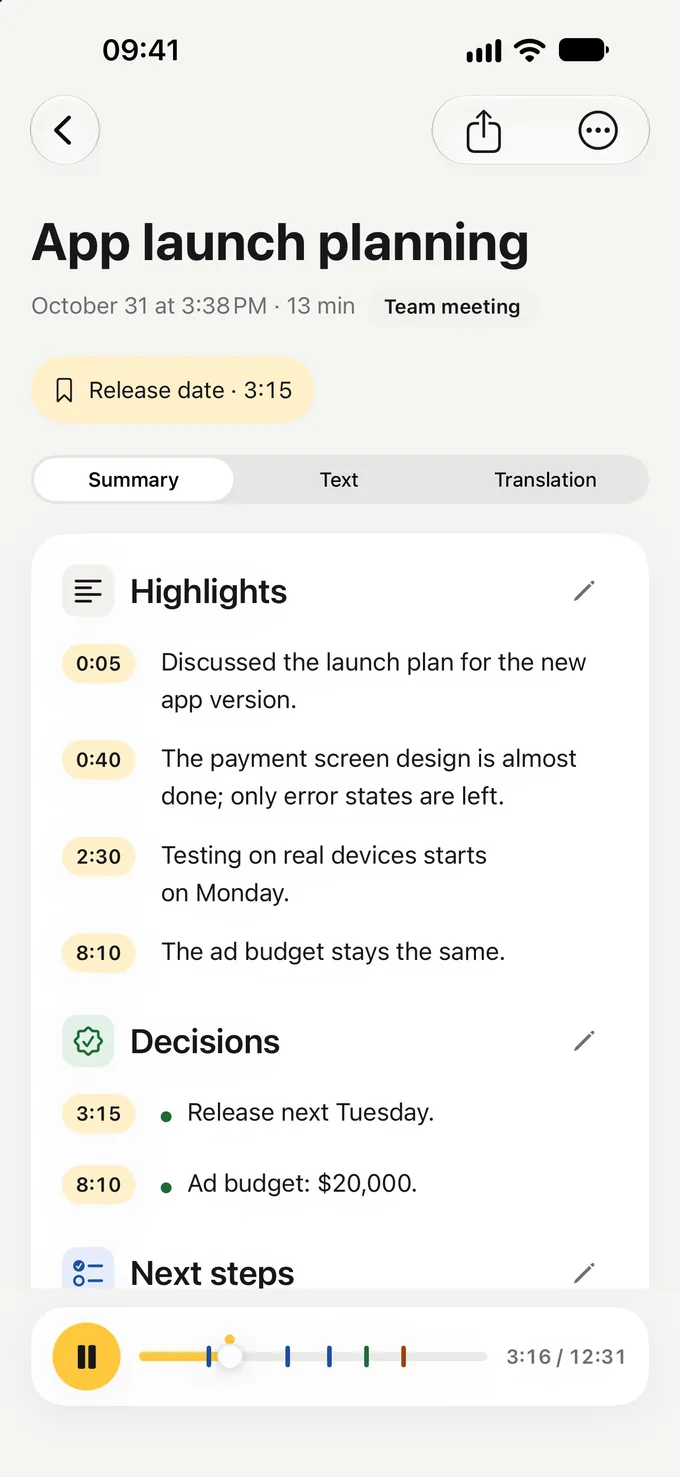
An hour of talk on one screen
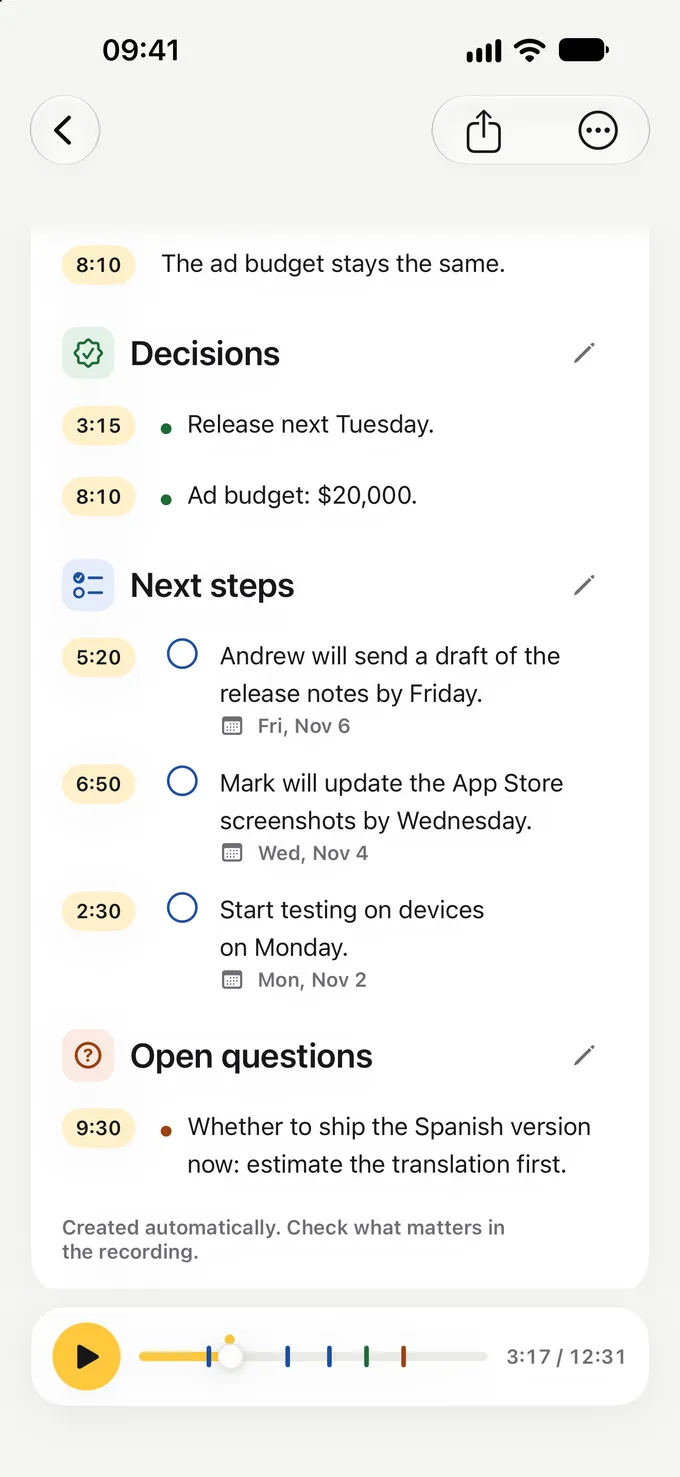
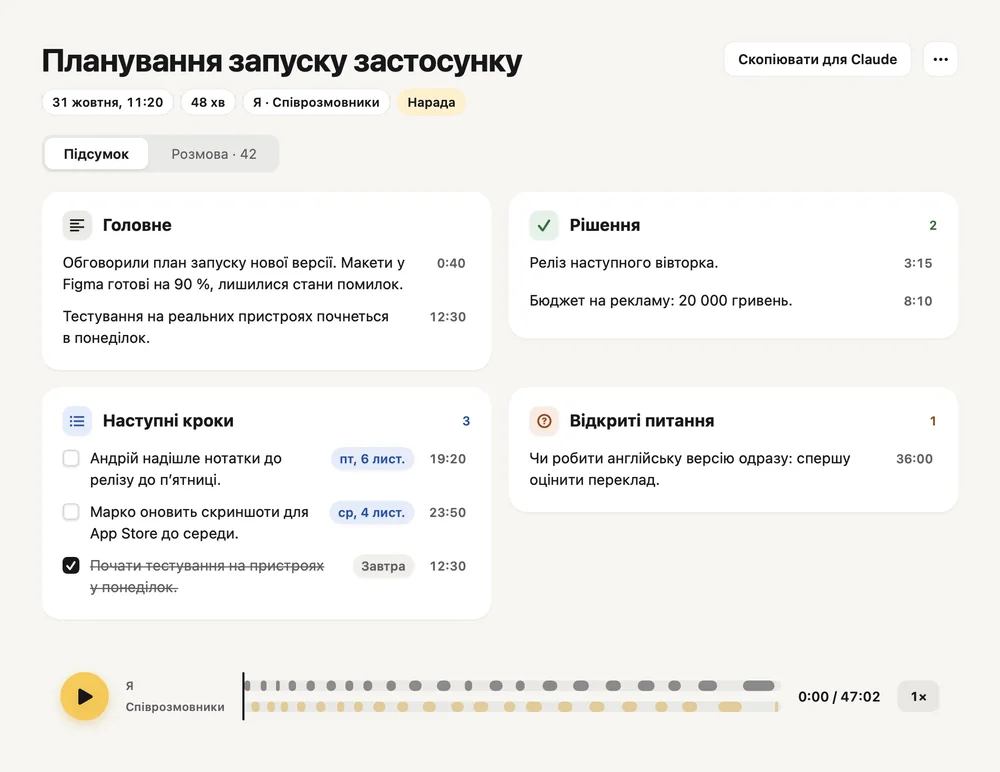
No need to replay the recording or scroll the transcript. Zapyso sorts the meeting into four parts:
- Highlights What was discussed, in brief.
- Decisions What was agreed.
- Next steps Who does what, and by when.
- Open questions What’s still unanswered.
Every point has its time: tap it to hear how it was said. If something’s off, fix it with the pencil.
Next steps
Nothing agreed gets lost after the meeting
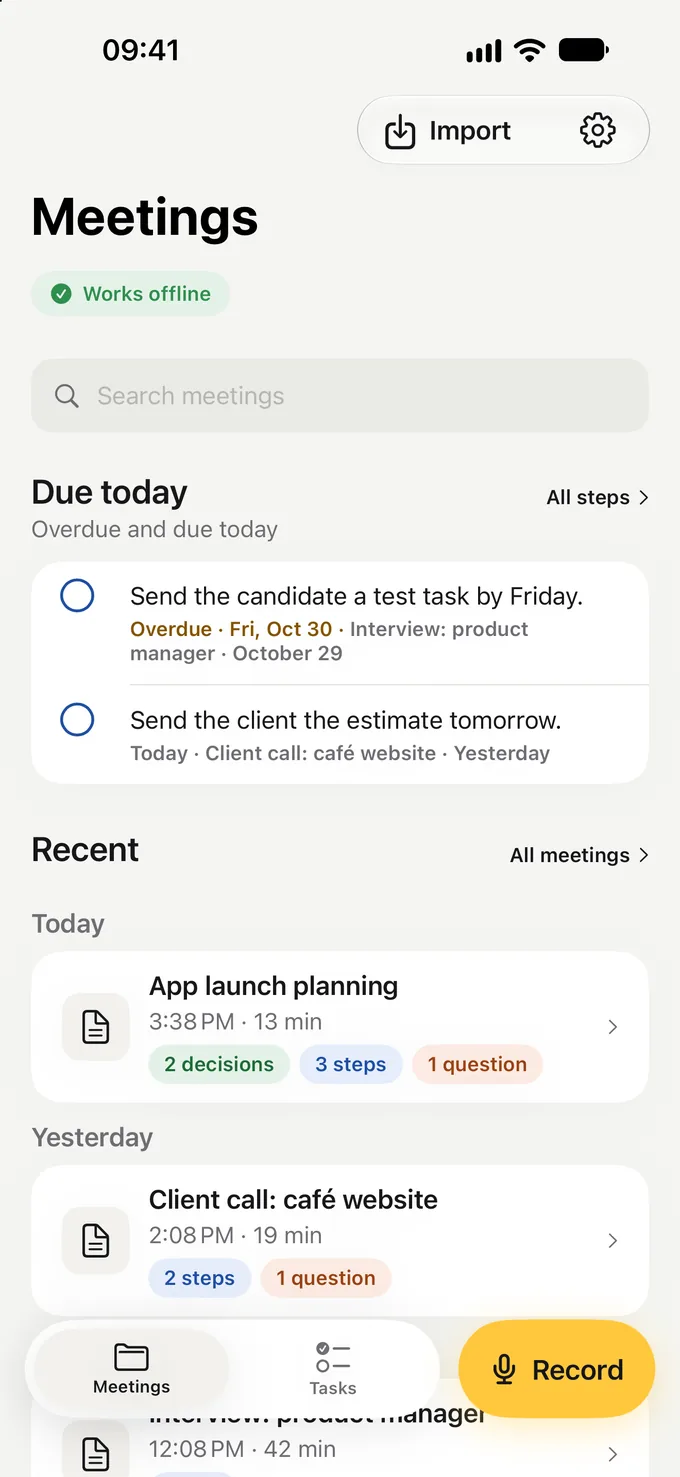
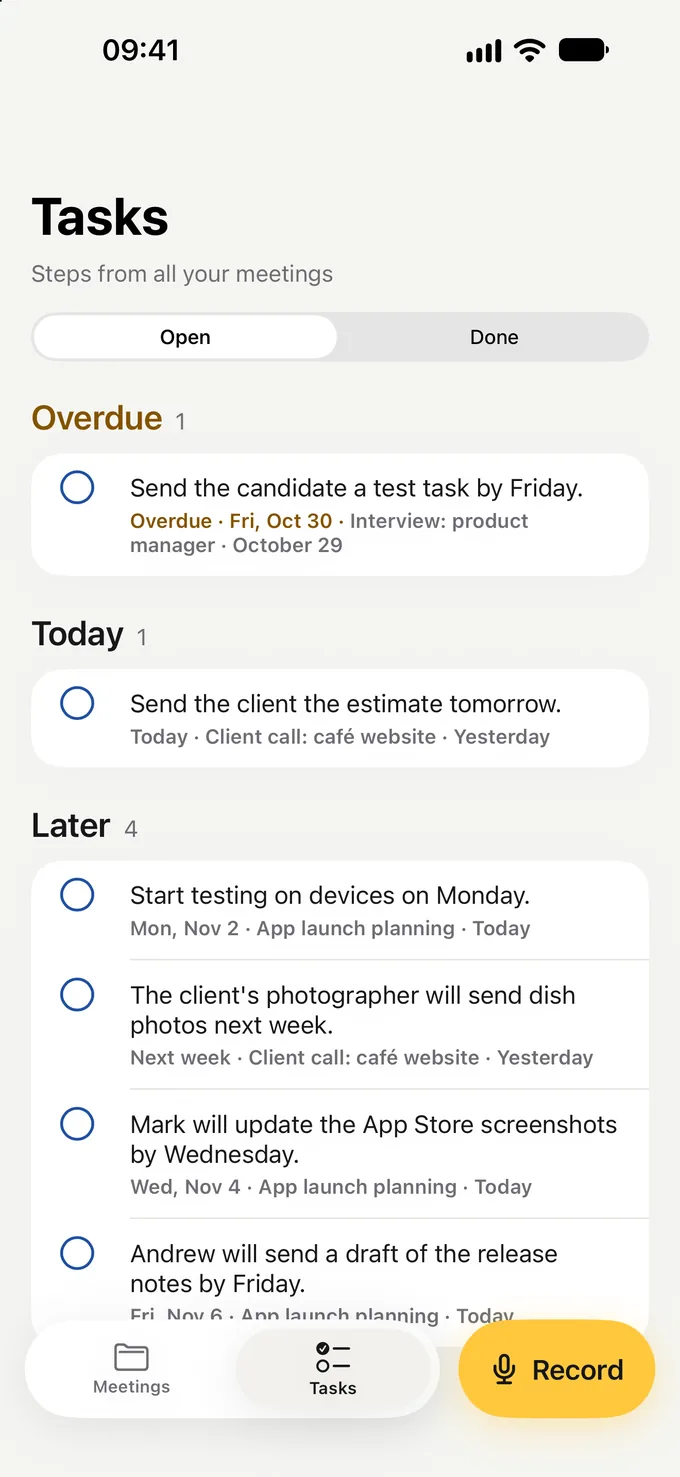
Deadlines said out loud become dates: “by Friday” turns into an actual day on your list.
- Due today on Home: what’s due today and what’s overdue
- The Tasks tab collects the steps from every meeting
- Check off what’s done right from the list
Recording
Record from any screen
One touch starts the recording, no need to look for the app.
- Recording keeps going with the screen locked
- Bookmark or pause right from the Lock Screen or the Dynamic Island
- The transcript is prepared during the meeting
- Control Center One tap from any screen
- Action button Press it and you’re recording
- Widget Record right from the Home Screen
- Siri “Record a meeting in Zapyso”
Language
Understands how people talk in meetings
English, Ukrainian and Russian, even mixed, including terms, names and numbers. Zapyso detects the language itself and writes the summary in English or Ukrainian.
Privacy
Your conversations stay yours
Zapyso has no servers that receive your meetings. Recordings, transcripts and summaries are made and kept on your device.
- No account: no sign-up, no email, no password
- No tracking: no ads, no analytics
- The internet is needed once, to download the models
Zapyso and a typical cloud note-taker
| What we compare | Zapyso | Cloud service |
|---|---|---|
| Where the recording is processed | On your iPhone or Mac | On the service’s servers |
| Account | Not needed | Required |
| Transcript and summary offline | Yes, even in Airplane Mode | No |
| A bot in online meetings | Never | Often |
| Price | Free | Limits or a subscription |
Compared with the common practice of cloud note-takers; individual services may differ.
Zapyso for Mac · beta 0.11.1
Online calls, no bot in the meeting
Zoom, Google Meet, Teams or Telegram: Zapyso records the call right on your Mac. Nobody joins the meeting.
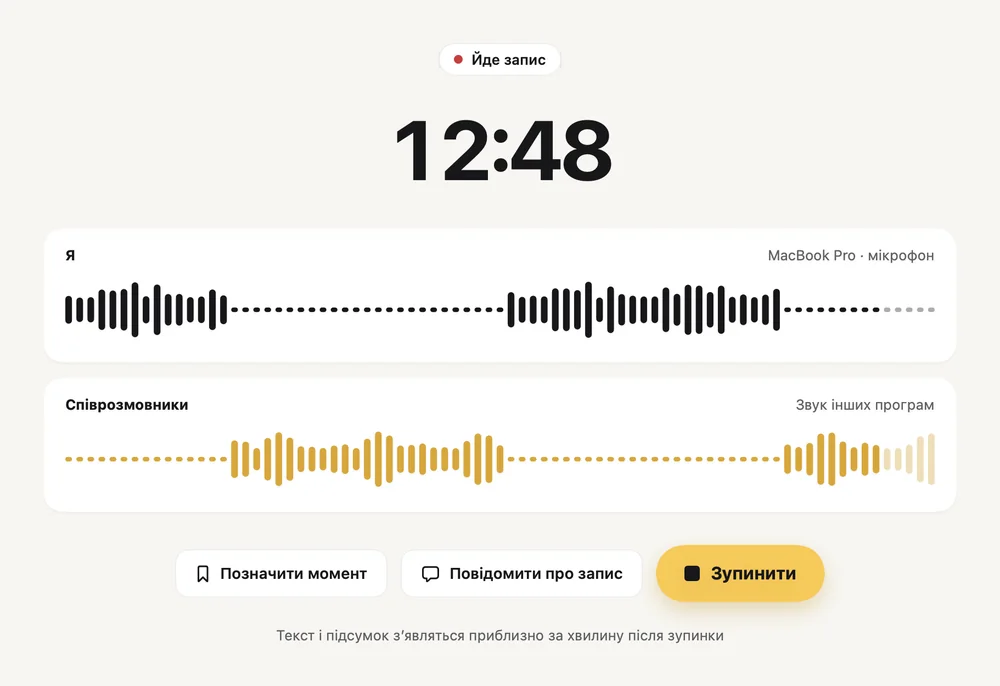
- Notices the call and offers to record it, in an app or the browser
- ⌘B marks a moment and “Tell them you’re recording” gives a line for the chat
- Search and Markdown and a copy ready for Claude
- Hold right ⌘ and dictate into any app
A Mac with Apple silicon (M1 or later), macOS 15 or later.
Do I need the internet?
Only once, to download the models: about 4.2 GB on iPhone and 4–6 GB on a Mac, best over Wi‑Fi. After that, recording, transcripts and summaries work offline, even in Airplane Mode.
Which iPhones and Macs work?
An iPhone with iOS 18 or later. Summaries need 8 GB of memory, which means iPhone 15 Pro and newer; other iPhones get recording, the full transcript and translation. A Mac with Apple silicon (M1 or later) and macOS 15 or later.
How much does it cost?
Zapyso for iPhone is free: no ads, no subscriptions, no in-app purchases. Zapyso for Mac is a free beta for now.
Which languages does it understand?
It recognizes English, Ukrainian and Russian, even mixed, plus other European languages — 25 in all — and detects the language itself. Summaries are written in English or Ukrainian.
Can it record Zoom or Google Meet calls on a Mac?
Yes. Zapyso for Mac records Zoom, Google Meet, Teams and Telegram calls right on your Mac, with your voice and the other side on separate tracks. No bot joins the meeting. Zapyso notices the call and offers to record it.
How much space do recordings take?
An hour of recording takes about 115 MB. You can delete a meeting’s audio and keep its text and summary.
What if a summary gets something wrong?
Summaries are made automatically and can make mistakes. That’s why every point has its time: tap it to hear the moment, and correct the point if needed.
Can I record other people?
Yes, but let people know you’re recording the conversation.
How do I contact you?
Write to zapyso.app@gmail.com or see the support page.

Try it at your next meeting
Zapyso for iPhone comes with a sample meeting: listen to it and see its summary before you record anything.