No account
No sign-up, no email, no password. Open it and record.
Record a meeting and Zapyso writes the transcript, the summary, the decisions and the next steps. Right on your iPhone, even with no internet.
An iPhone with iOS 18 or later. Summaries need iPhone 15 Pro or newer.
Recording starts from any screen
How it works
One tap and the meeting is recording, even with the screen locked.
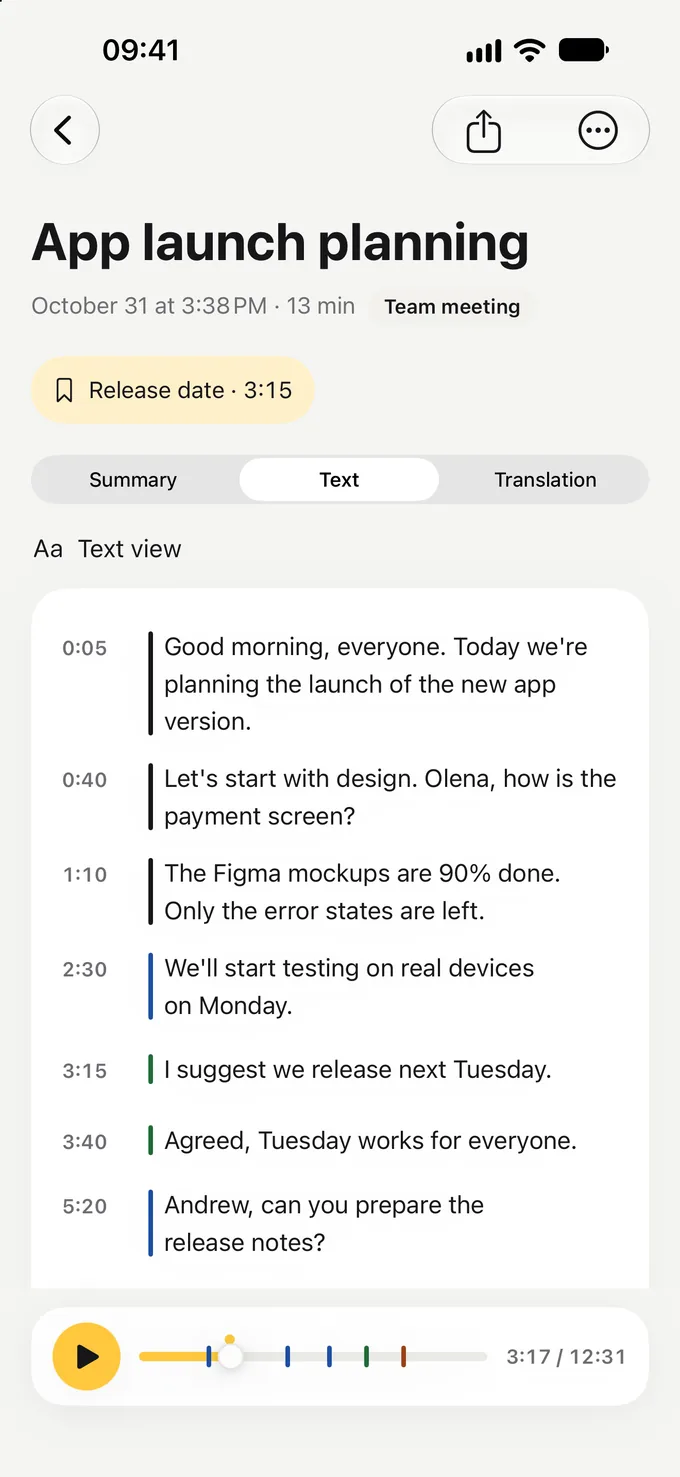
Zapyso transcribes during the meeting, so when it ends only the last few minutes are left to process.
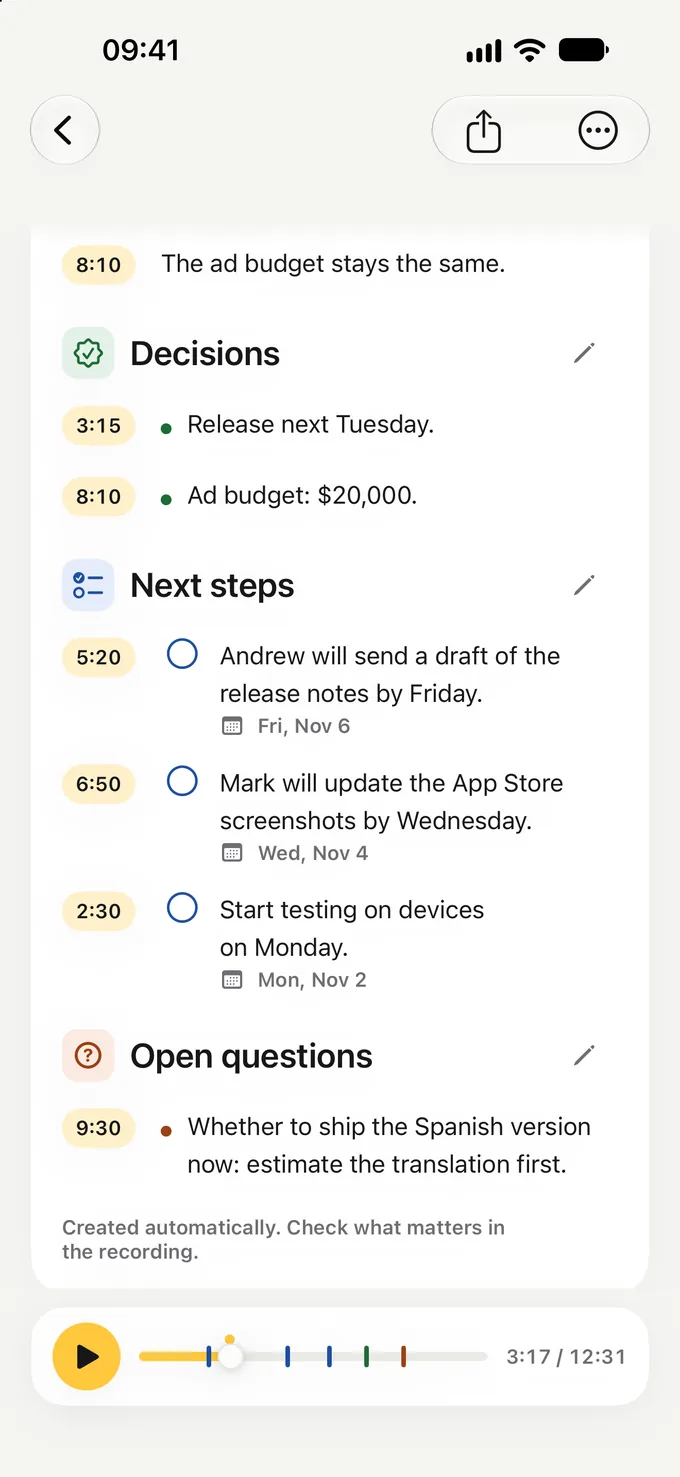
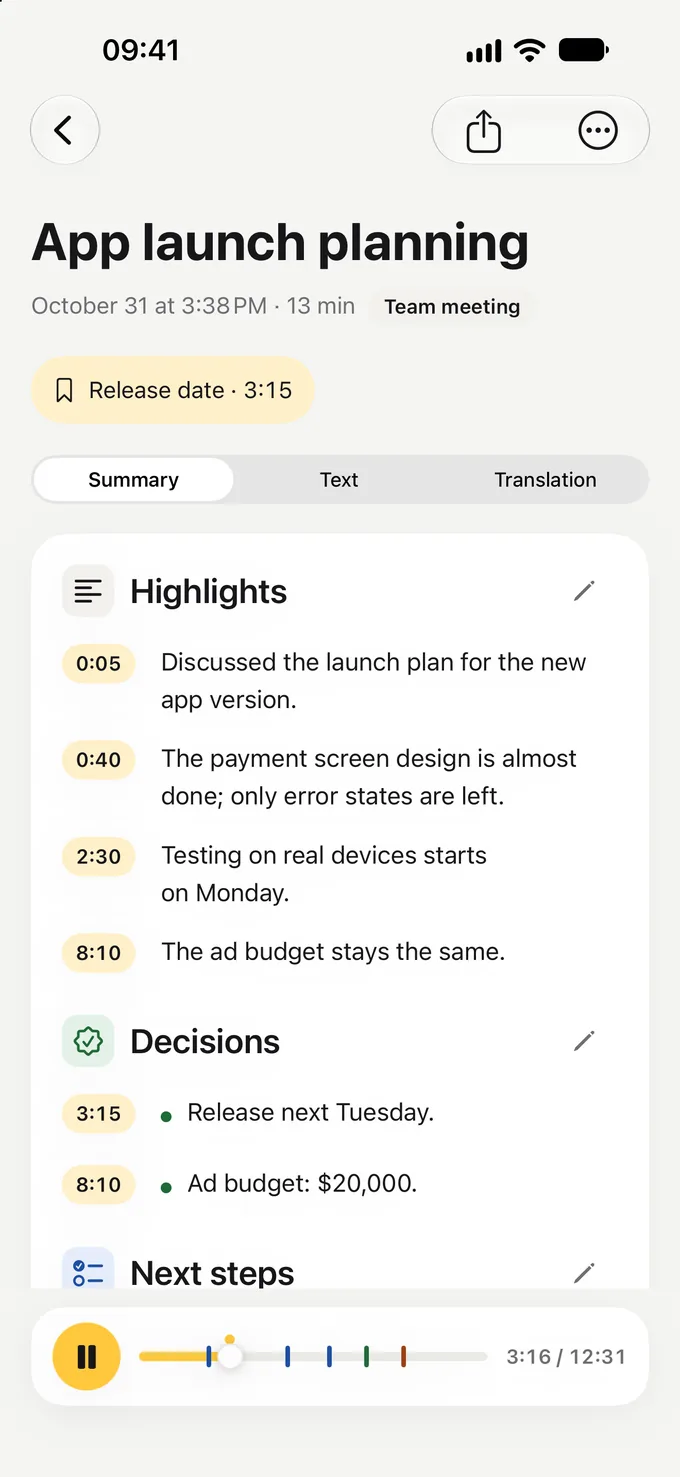
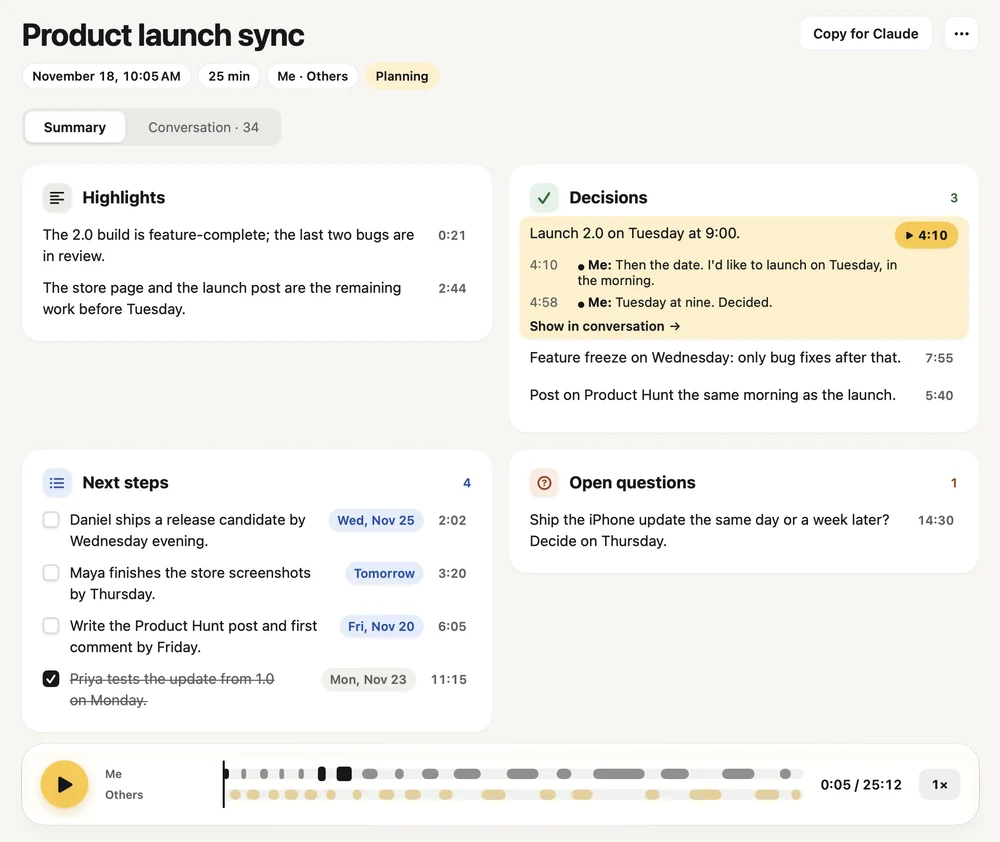
Highlights, decisions, next steps with due dates and open questions. Every point has its time in the recording.
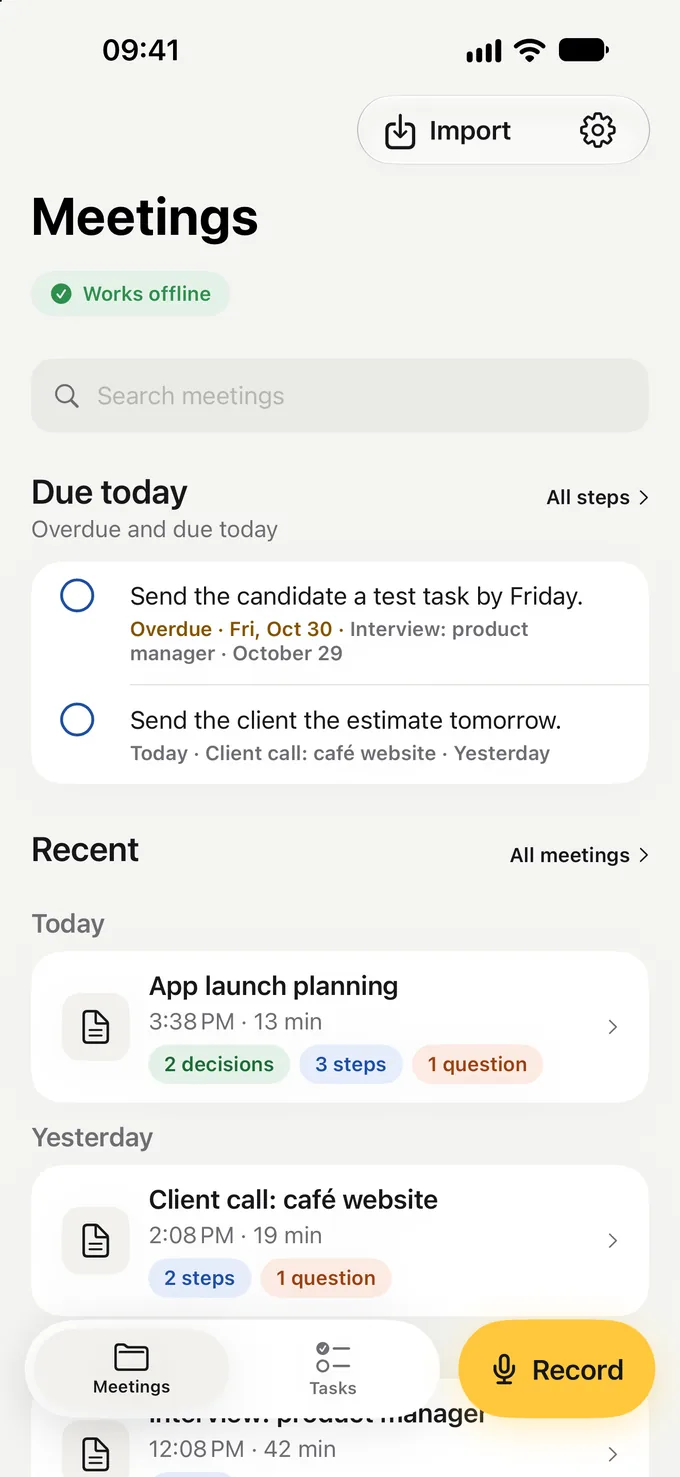
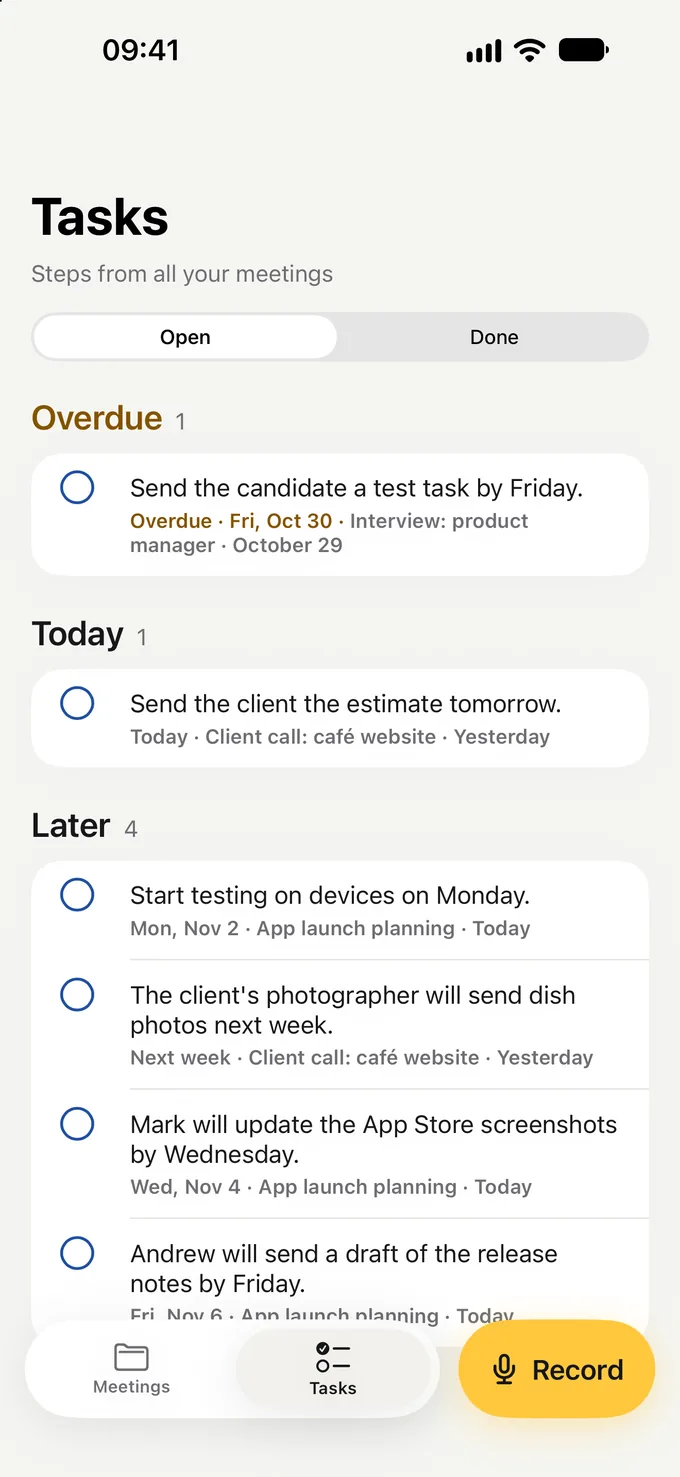
Deadlines said out loud become dates: “by Friday” turns into an actual day. The steps from every meeting gather in one tab.
Summary
No need to replay the recording or scroll the transcript. Zapyso sorts the meeting into four parts.
Every point has its time: tap it to hear how it was said. If something’s off, fix it with the pencil.
Why Zapyso
Zapyso has no servers that receive your meetings. Recordings, transcripts and summaries are made and kept on your iPhone.
The iPhone itself records, transcribes and summarizes: on a plane, on a train, in a basement. The internet is needed once, to download the models.
No sign-up, no email, no password. Open it and record.
No ads, no subscriptions, no in-app purchases.
English and Ukrainian, even mixed, including terms, names and numbers. It detects the language itself.
It keeps going with the screen locked. Mark a moment or pause right from the Lock Screen or the Dynamic Island.
A summary can be wrong, so every point has its time: tap it and hear that moment. Fix a mistake with the pencil.
The app sends none of your data. Privacy Policy
| What we compare | Zapyso | Cloud service |
|---|---|---|
| Where the recording is processed | On your iPhone | On the service’s servers |
| Transcript and summary offline | Yes, even in Airplane Mode | No |
| Account | Not needed | Required |
| Price | Free | Limits or a subscription |
Compared with the common practice of cloud note-takers; individual services may differ.
Zapyso for Mac
Hold the right ⌘ and write with your voice in any app. And Zapyso records a Zoom, Google Meet or Teams call with no bot in the meeting.
Only once, to download the models: about 4.2 GB, best over Wi‑Fi. After that, recording, transcripts and summaries work offline, even in Airplane Mode.
An iPhone with iOS 18 or later. Summaries need 8 GB of memory, which means iPhone 15 Pro and newer; other iPhones get recording, the full transcript and translation.
Zapyso for iPhone is free: no ads, no subscriptions, no in-app purchases.
It recognizes English and Ukrainian, even mixed, plus other European languages — 25 in all — and detects the language itself. Summaries are written in English or Ukrainian.
An hour of recording takes about 115 MB. You can delete a meeting’s audio and keep its text and summary.
Summaries are made automatically and can make mistakes. That’s why every point has its time: tap it to hear the moment, and correct the point if needed.
Yes, but let people know you’re recording the conversation.
Write to zapyso.app@gmail.com or see the support page.

Zapyso for iPhone comes with a sample meeting: play it and see the summary before you record your first.
An iPhone with iOS 18 or later · free