Meeting notes with no bot and no cloud.
Zapyso records the call right on your Mac, transcribes it and writes the summary: decisions, next steps, open questions. All offline.
A Mac with Apple silicon (M1 or later), macOS 15 or later.
Call recording runs on a Mac. Send yourself the link and download Zapyso on your computer, or email it to yourself.
On iPhone, Zapyso records meetings and writes the summary: the App Store button is above.
- Free
- No account
- Works offline
How it works
You talk. Zapyso takes the notes.
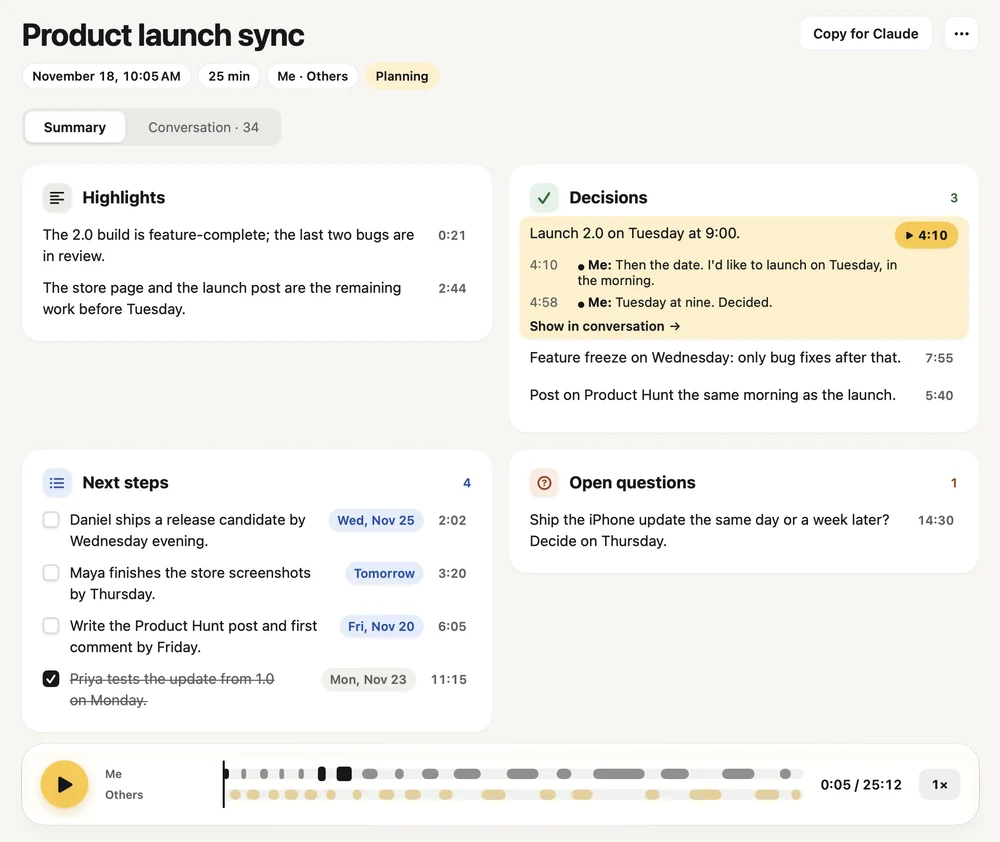
Zapyso is a free iPhone and Mac app that transcribes meetings in English and Ukrainian and writes their summary. It all runs on the device itself: no cloud, no account, no internet.
-
Record
One tap and the meeting is recording. On iPhone, even with the screen locked.
-
The transcript, as you talk
Zapyso transcribes during the meeting, so when it ends only the last few minutes are left to process.
-
What matters, sorted
Highlights, decisions, next steps with due dates and open questions. All of it on your device.
Zapyso for Mac · beta 0.13.5
Online calls, no bot in the meeting
Zoom, Google Meet, Teams or Telegram: Zapyso records the call right on your Mac. Nobody joins the meeting.
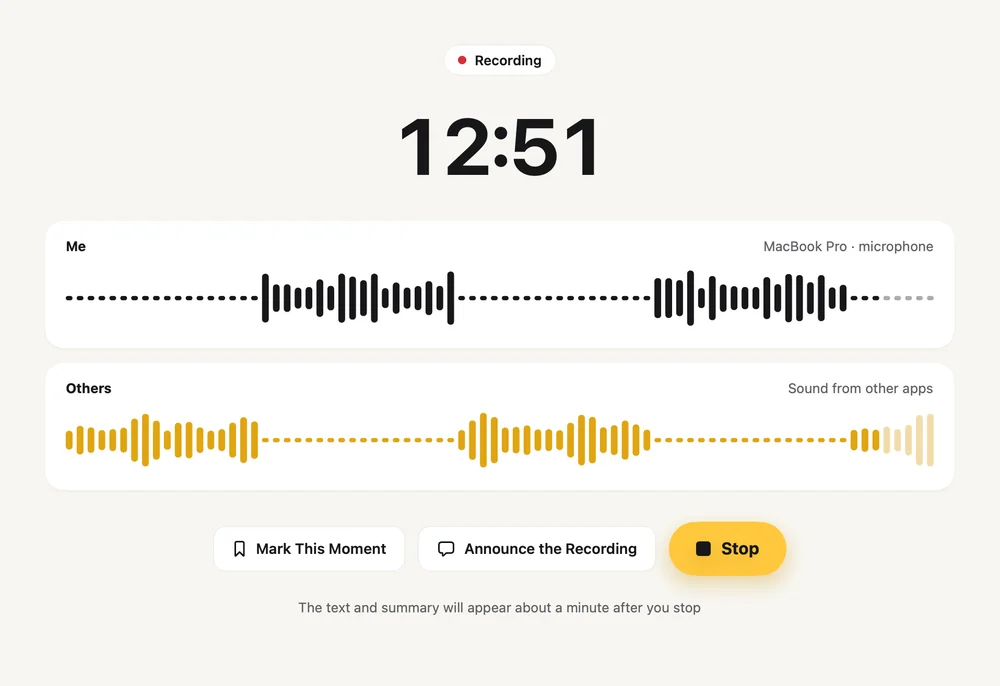
- Notices the call and offers to record it, in an app or the browser
- ⌘B marks a moment and “Tell them you’re recording” gives a line for the chat
- Search and Markdown and a copy ready for Claude
- Hold right ⌘ and dictate into any app: about dictation
A Mac with Apple silicon (M1 or later), macOS 15 or later.
Privacy
Your conversations stay yours
Zapyso has no servers that receive your meetings. Recordings, transcripts and summaries are made and kept on your device.
- No account: no sign-up, no email, no password
- No ads, no tracking: the app sends none of your data
- The internet is needed once, to download the models
Zapyso and a typical cloud note-taker
| What we compare | Zapyso | Cloud service |
|---|---|---|
| Where the recording is processed | On your iPhone or Mac | On the service’s servers |
| Account | Not needed | Required |
| Transcript and summary offline | Yes, even in Airplane Mode | No |
| A bot in online meetings | Never | Often |
| Price | Free | Limits or a subscription |
Compared with the common practice of cloud note-takers; individual services may differ.
Also on iPhone
Meeting notes, right from your phone
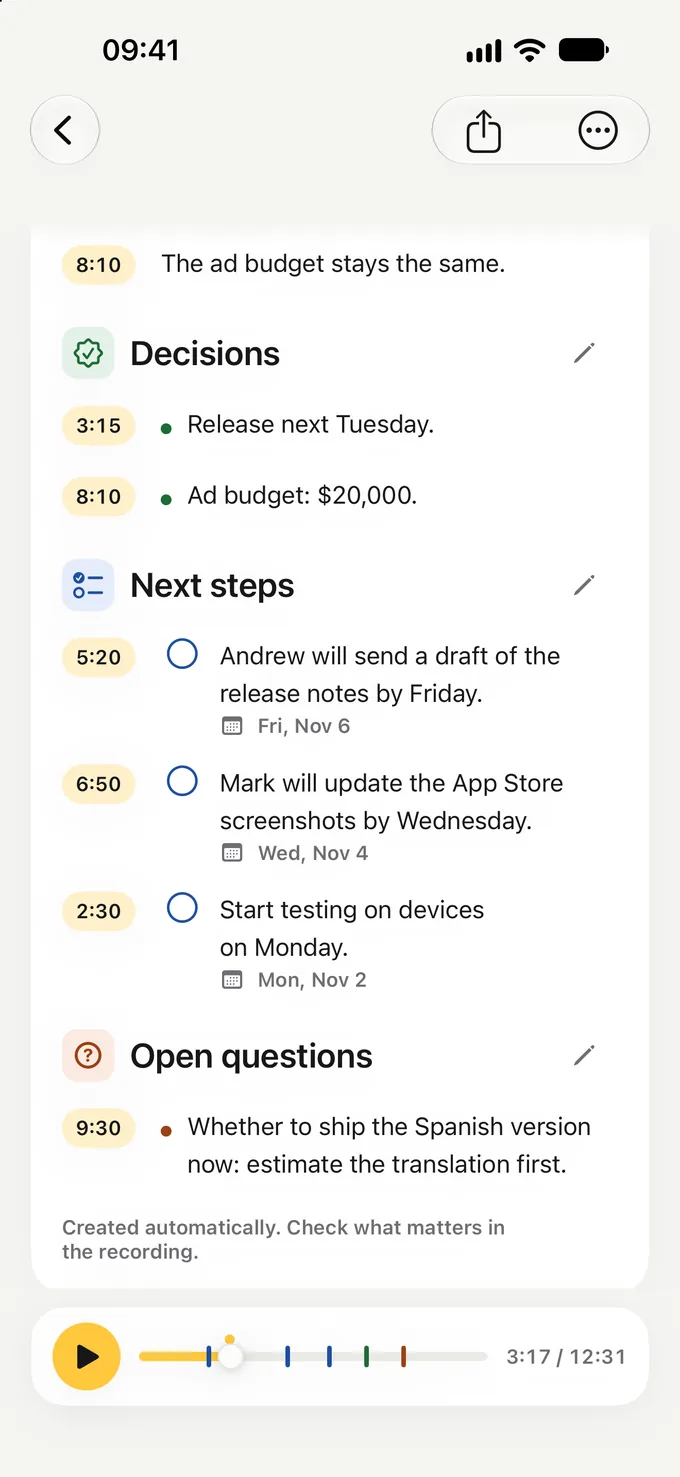
Zapyso for iPhone records meetings in the room and writes the same summary, offline too.
- Recording keeps going with the screen locked
- Summary, decisions and next steps, with the tasks from every meeting in one tab
- Start from Control Center, the Action button, a widget or Siri
Do I need the internet?
Only once, to download the models: about 4.2 GB on iPhone and 4–6 GB on a Mac, best over Wi‑Fi. After that, recording, transcripts and summaries work offline, even in Airplane Mode.
Which Macs work?
A Mac with Apple silicon (M1 or later) and macOS 15 or later. For iPhones, see the Zapyso for iPhone page.
How much does it cost?
Zapyso for Mac is a free beta for now. Zapyso for iPhone is free too: no ads, no subscriptions, no in-app purchases.
Which languages does it understand?
It recognizes English and Ukrainian, even mixed, plus other European languages — 25 in all — and detects the language itself. Summaries are written in English or Ukrainian.
Can it record Zoom or Google Meet calls on a Mac?
Yes. Zapyso for Mac records Zoom, Google Meet, Teams and Telegram calls right on your Mac, with your voice and the other side on separate tracks. No bot joins the meeting. Zapyso notices the call and offers to record it.
How much space do recordings take?
An hour of recording takes about 115 MB. You can delete a meeting’s audio and keep its text and summary.
What about dictation?
That is the other thing Zapyso for Mac does: hold the right ⌘ and talk, and the text appears where the cursor is, laid out in mail and chats. See the home page.
How do I contact you?
Write to zapyso.app@gmail.com or see the support page.

Try it on your next call
Zapyso for Mac is a free beta: call recording with no bot and dictation into any app. On iPhone, Zapyso records meetings in the room and writes the summary.